Your first issue and project
One piece of work is one issue. Add an assignee, status, priority, and due date so the whole team sees the same list. Issues that serve one goal are grouped into a project.
Create an issue
Section titled “Create an issue”- Press
Canywhere in the app to open the new issue dialog. - When the issue list is empty, the Create issue button in the middle opens the same dialog.
Enter a title and, if you like, pick a team, status, priority, assignee, labels, project, and due date. Turn on Create more to keep the dialog open and add several issues in a row. The new issue appears in its team’s issue list right away.
A good issue can be finished in a few hours to a day. If it is bigger, split it into sub-issues. Write the title as an action, such as “Show an error message when login fails”.
Work with issues
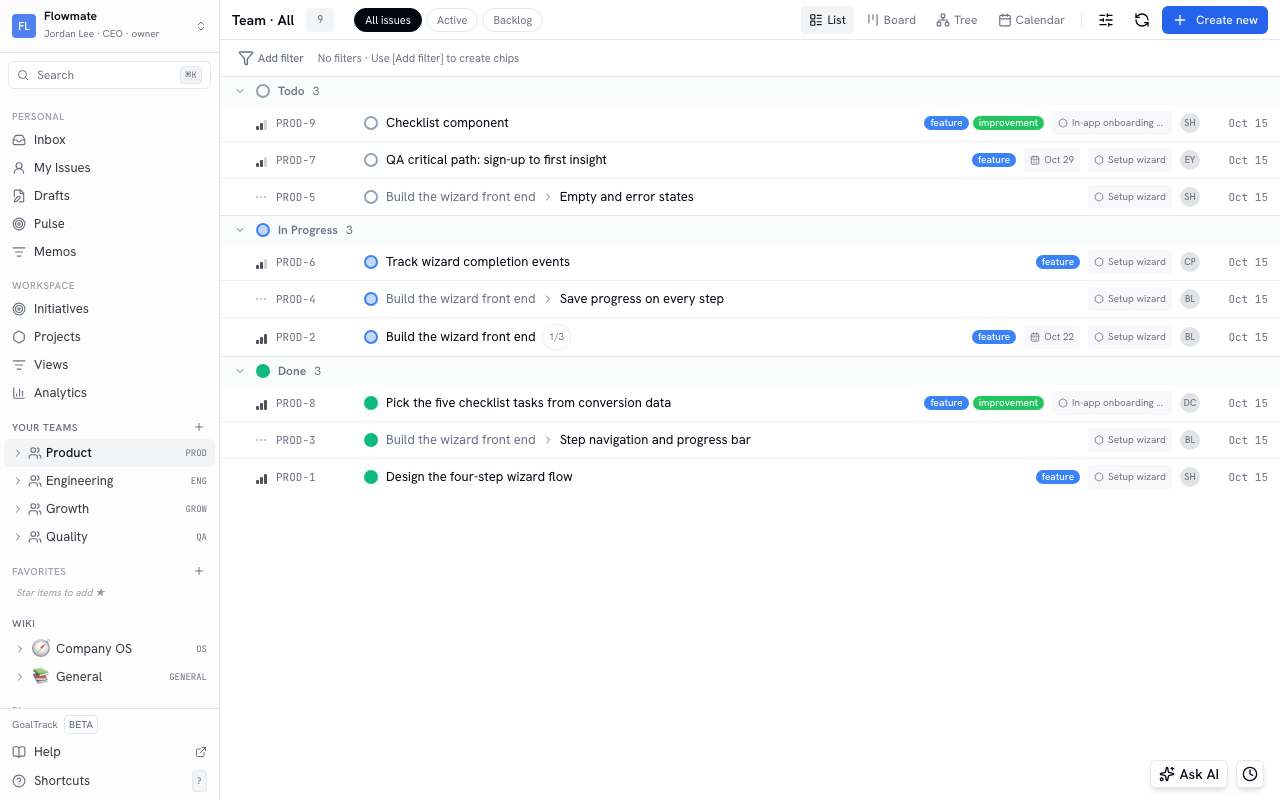
Section titled “Work with issues”- Expand a team under Your Teams in the sidebar and click Issues to see that team’s issues. The tabs at the top switch between All issues, Active, and Backlog.
- List · Board · Tree · Calendar show the same issues in different shapes. On the board, drag a card to another column to change its status.
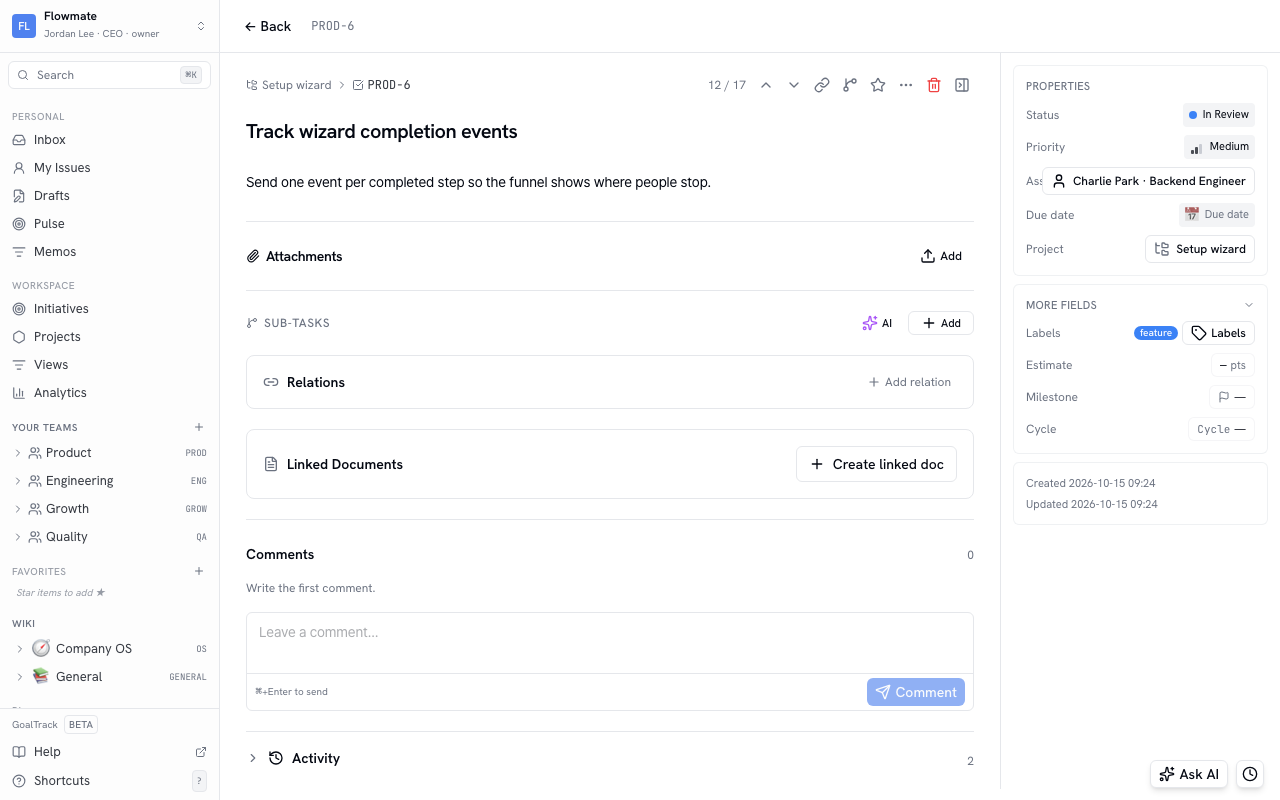
- Click an issue to open its details. Change the status, assignee, priority, and due date, leave comments, and see who changed what on the activity tab.
- At first, we recommend using just four statuses: Backlog → Todo → In Progress → Done. Use In Review for work that needs a review.
Group issues into a project
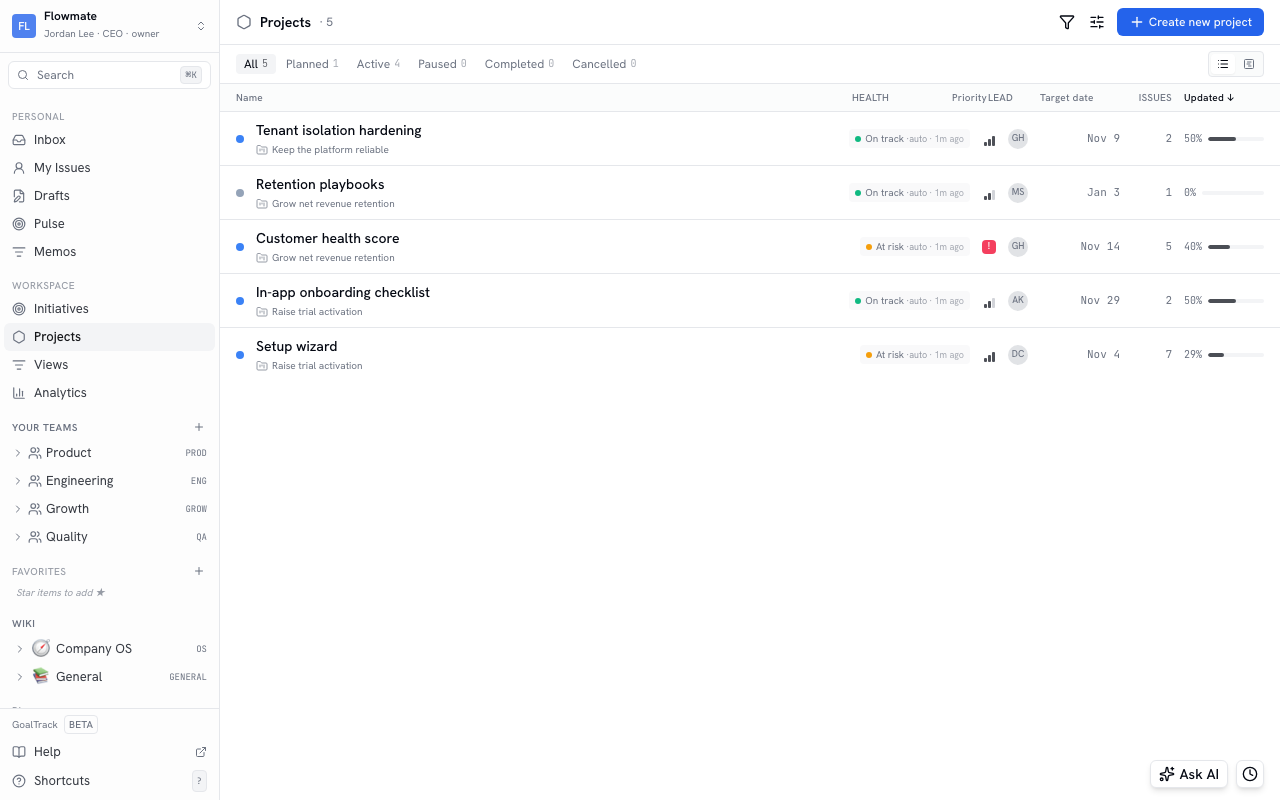
Section titled “Group issues into a project”- In the sidebar, go to Workspace › Projects and click Create new project.
- Enter a name and a short summary, then use the chips to pick a status, priority, lead, and initiative. You create initiatives on the next page — it is fine to leave this empty for now.
- To put an issue in the project, pick the project in the issue’s project field, or choose it when you create the issue.
The project list has a tab per status so you can see what is in progress, and clicking a project shows its issues and progress.
In Goals and metrics, you connect this work to the goal it serves.